Condo Internet in Thailand: How to Apply and What to Check Before Installation
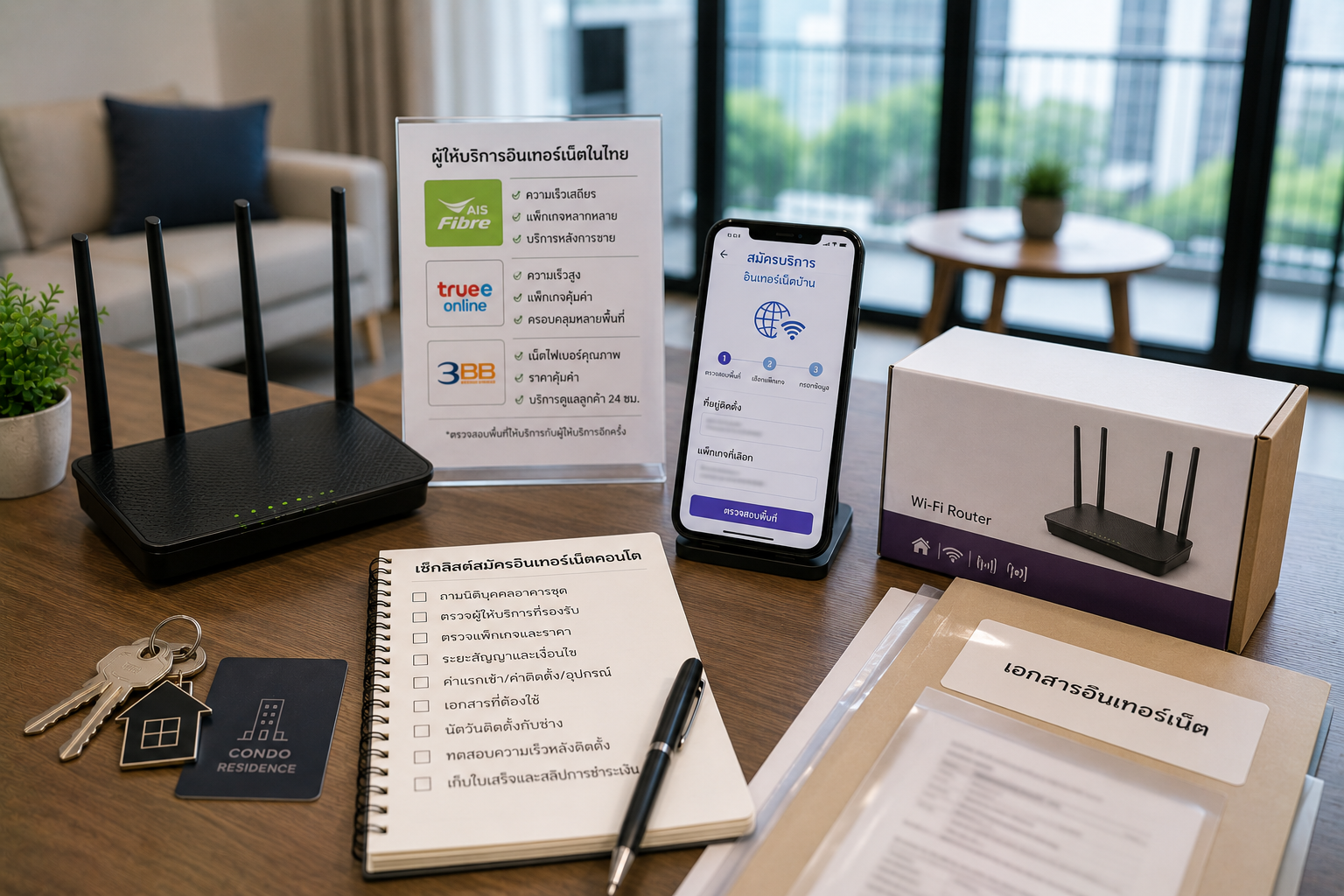
Condo internet is an essential service after moving into a new unit in Thailand. Many residents need it for working from home, online learning, video calls, streaming, gaming, smart TVs, or connecting smart-home devices. However, you should not choose condo internet based only on price and speed. You should also check which providers the building supports, which documents are required, when a technician can enter to install it, how many months the contract lasts, and what to do if you move out before the contract ends.
Major providers in Thailand, such as AIS Fibre, True Online, and 3BB, offer home internet or fibre packages for residential users. Actual installation availability still depends on the area, building, internal condo wiring, and the provider's conditions at the time. Users should therefore confirm with both the condominium juristic office and the provider directly before paying or signing a contract. The NBTC is Thailand's telecommunications regulator and provides information and service channels related to telecommunications services.
English summary: Condo internet in Thailand depends on provider coverage, building wiring, juristic office rules, contract period, installation schedule, router placement, and payment proof.
1. Before Applying, Ask the Juristic Office Which Providers the Building Supports
Not every condominium supports every internet provider. Some buildings have lines from several providers, while others may support only certain systems or have limitations involving the communications room, conduits, installation points, or the number of ports still available. Residents should therefore ask the juristic office before applying for a package.
- Does the building support AIS Fibre, True Online, 3BB, or any other providers?
- Has internet previously been installed in this unit?
- Is there existing wiring or a LAN/fibre point in the unit?
- Does the preferred provider still have an available port in the building?
- Will the technician need access to the communications room or common areas?
- How many days in advance must the juristic office be notified before installation?
If you apply with a provider before asking the juristic office, you may find that the provider cannot yet install service in the building or that the technician cannot work because the building was not notified in advance.
English summary: Ask the juristic office first. Not every condo supports every internet provider or installation method.
2. Check Service Availability Directly with the Provider
Even if the juristic office says that a provider has served the building before, applicants should still check availability directly with that provider. Availability may depend on the unit number, building, floor, existing wiring, available ports, and current promotions.
- Provide the correct condominium name, building, floor, and unit number.
- Ask whether installation is actually available.
- Ask whether a site survey is required first.
- Ask how long it will take to schedule a technician.
- Ask whether a new installation or relocation of the installation point is possible.
- Ask what happens if installation is not possible after you apply.
Providers such as AIS Fibre, True Online, and 3BB publish information about their home internet packages and services on their websites. Prices, speeds, and promotions may change, so always check the latest conditions before applying.
3. Tenants Must Obtain the Owner's Permission Before Installation
If the unit is rented, the tenant should obtain the owner's permission before applying for internet, especially if new wiring, drilling, router relocation, or permanent equipment installation is required. This may affect the condition of the unit, the security deposit, and the handover requirements when moving out.
- Does the owner permit a new internet installation?
- Does the owner permit wiring or drilling?
- Should the internet contract be in the tenant's or owner's name?
- Who is responsible for activation, installation, or equipment fees?
- When moving out, must the wiring be removed or the unit restored?
- If the service is cancelled before the contract ends, who is responsible for the penalty?
These points should be agreed in chat or in a document, not only verbally, because disputes may arise when the tenant moves out or if service fees remain unpaid.
English summary: Tenants should get landlord permission before installation, especially if wiring, drilling, or a long-term contract is involved.
4. Read the Internet Contract and Commitment Period Carefully
Many home internet packages in Thailand may have a contract period, such as 12 or 24 months, along with conditions covering activation fees, equipment fees, wiring charges, installation fees, promotional discounts, and penalties for early cancellation. Applicants should not consider only the monthly price.
- How many months is the contract commitment?
- Is there a penalty for cancelling before the contract ends?
- Can the installation be moved to a new condominium?
- What happens if the new condominium does not support the existing provider?
- Is the router loaned or purchased outright?
- Which equipment must be returned upon cancellation?
For example, some provider packages may specify a 12- or 24-month contract and require equipment to be returned when service is cancelled. These conditions can change by promotion, so check directly with the provider before applying.
5. Check Activation, Installation, and Equipment Fees
Some internet packages may advertise one monthly price but also involve initial costs or other conditions, such as activation fees, installation fees, wiring charges, equipment rental, an equipment deposit, or penalties if equipment is damaged or not returned upon cancellation.
- Is there an activation fee?
- Are there installation or wiring fees?
- Does the package price include VAT?
- Is the router loaned, purchased outright, or rented?
- Is Mesh Wi-Fi or any additional equipment included?
- How much must be paid if equipment is lost or damaged?
Request a written cost breakdown or quotation before paying so you can check it if the first bill does not match what was agreed.
English summary: Check installation fees, equipment charges, VAT, router ownership, deposit, and cancellation costs before applying.
6. Prepare the Documents Needed to Apply for Internet
The documents required for an internet application may vary by provider, customer type, and applicant status, such as Thai citizen, foreign national, tenant, owner, or company. Ask the provider directly for its latest document requirements.
- National ID card or passport
- Telephone number and email address
- Condominium address, building, floor, and unit number
- Lease or proof of the right to occupy the unit, if requested by the provider
- Permission letter from the unit owner, if required
- Juristic office contact details for coordinating technician access
For foreign nationals, document requirements may vary by provider and package. Ask clearly before arranging installation and do not assume that the same documents used by Thai applicants will be accepted in every case.
7. Schedule the Technician in Accordance with Building Rules
Many condominiums have rules for outside technicians, such as advance notification of the technician's name, exchanging an ID card, using the service lift, parking in a designated area, or working only during certain hours. Without advance notice, the technician may be denied entry and the installation may need to be rescheduled.
- On which days and at what times may technicians work?
- Must the technician's name or ID number be submitted in advance?
- Must a service lift or designated parking area be used?
- Must the tenant or owner be present?
- Are drilling, wiring, or equipment placement prohibited in certain locations?
- Must the juristic office be notified after installation is complete?
Send the building rules to the provider before scheduling a technician to avoid an unsuccessful installation visit.
English summary: Coordinate technician access with the juristic office before installation day.
8. Choose a Router Position That Provides Good Coverage
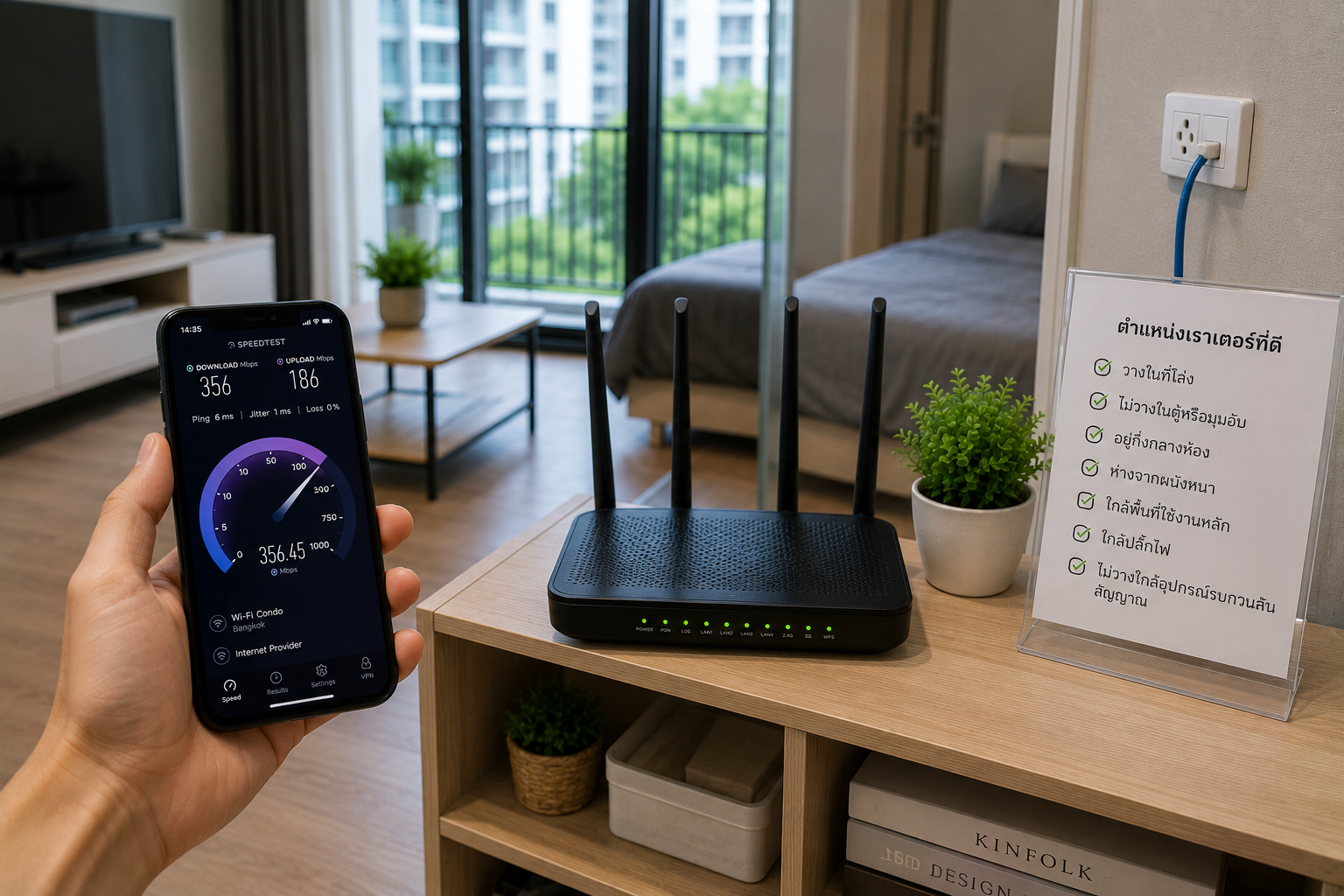
Router position has a major effect on Wi-Fi quality. Even with a high-speed internet package, placing the router poorly may result in a weak signal in the bedroom, at the desk, or in the areas actually used. Discuss the position with the technician before installation.
- Can the router be placed near the main area where it will be used?
- Avoid placing it behind a cabinet, under the television, or in a signal dead zone.
- Is there a power outlet near the installation point?
- Can the LAN and power cables be routed safely?
- Does the unit have thick walls or several rooms that block the signal?
- Is Mesh Wi-Fi or an additional signal extender needed?
In a rented unit, avoid drilling or permanent wiring without the owner's permission.
9. Test the Internet Before the Technician Leaves
After installation, test the internet immediately in several parts of the unit. Do not wait until the technician has left to discover that the signal is weak or unavailable in some areas.
- Test near the router.
- Test in the bedroom.
- Test at the desk.
- Test near the television or streaming devices.
- Perform an initial video call or streaming test.
- Check the Wi-Fi name and password.
If the speed or signal is not as expected, immediately ask the technician whether the cause is the package, equipment, router location, building wiring, or Wi-Fi coverage within the unit.
English summary: Test Wi-Fi in every important area before the technician leaves.
10. Check the First Bill and Billing Cycle
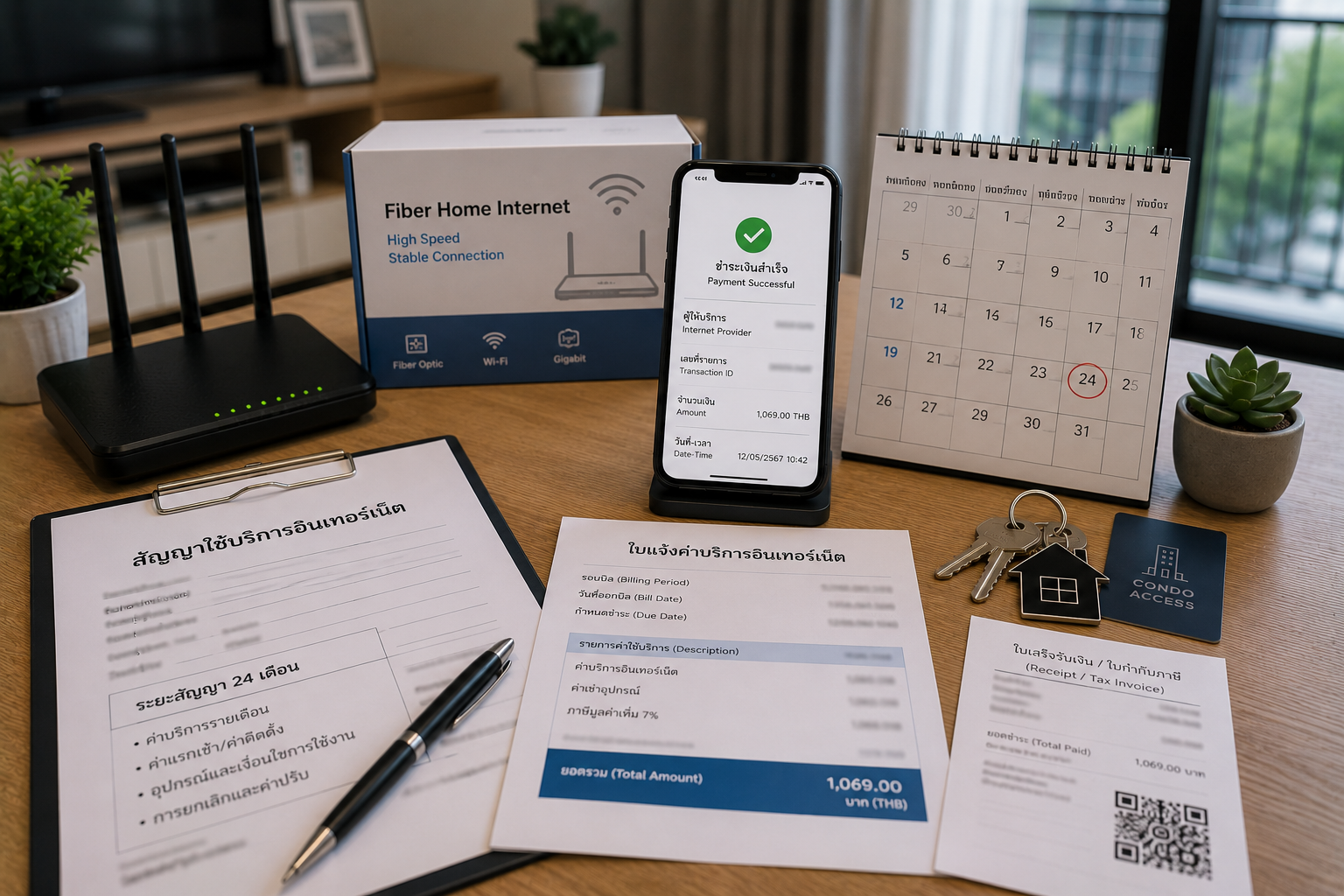
The first bill may include an activation fee, equipment fee, installation fee, advance service charge, or a partial billing period. Applicants should therefore check the details before paying and keep proof of every payment.
- When does the billing cycle begin?
- From which date is the first bill calculated?
- Does it include an activation, installation, or equipment fee?
- Does the package price include VAT?
- Must payment be made through an app, website, counter, or bank transfer?
- Is a receipt or e-Receipt available?
Do not pay cash or transfer money without evidence. Keep the application, payment slips, receipts, and package confirmation messages until the service has been cancelled and all equipment has been returned.
11. Who Should Be Contacted If the Internet Has Problems?
If the internet frequently disconnects, is slow, does not work, or has weak Wi-Fi, start by contacting the provider and give your customer number, unit address, and details of the problem. If the issue involves building wiring or the communications room, also notify the juristic office.
- Record the date and time of each problem.
- Keep speed-test results from different times.
- Photograph the router's status lights when there is a problem.
- Contact the provider's call centre or app.
- Request a case number or repair job number.
- Notify the juristic office if wiring or common areas are involved.
The NBTC is Thailand's telecommunications regulator. Users can check service information or complaint channels from the relevant authority if service problems arise and they need more information about users' rights.
English summary: For internet problems, contact the provider first, keep case numbers, and involve the juristic office if building wiring is involved.
12. How Should Internet Service Be Handled Before Moving Out?
Before moving out, check whether the internet contract has ended and which equipment must be returned. If the service is still under contract, there may be a penalty or conditions for relocating it to a new address.
- Check the internet contract end date.
- Ask about cancellation or relocation conditions.
- Return the router, signal box, or other equipment as required.
- Obtain proof that the service has been cancelled.
- Pay all outstanding bills.
- Notify the owner if installed wiring or equipment remains in the unit.
For a rented unit, photograph its condition after the equipment has been removed and keep proof of cancellation in case of a later dispute about wiring, equipment, or unpaid bills.
13. Checklist for Arranging Condo Internet in Thailand
- Ask the juristic office which providers the building supports.
- Check service availability directly with the provider.
- Obtain the owner's permission if the unit is rented.
- Read the contract, commitment period, and early cancellation penalty.
- Check activation, installation, and equipment fees.
- Prepare all application documents.
- Schedule the technician in line with building rules.
- Choose a suitable router position.
- Test Wi-Fi in every area before the technician leaves.
- Check the first bill and billing cycle.
- Keep payment slips, receipts, chats, and case numbers.
- Check cancellation or relocation conditions before moving out.
Conclusion
Arranging condo internet in Thailand should begin by asking the juristic office which providers the building supports. Then check availability directly with the provider and review the contract, costs, and cancellation conditions in full. If the unit is rented, obtain the owner's permission before installation, especially for wiring, drilling, or a long-term contract.
After installation, test the signal in every part of the unit, check the first bill, keep payment proof, and record case numbers if problems arise. Baandeego is only a real estate listing platform and is not involved in internet applications, installations, payments, or disputes with internet providers.
English summary: Always check provider availability, building rules, landlord permission, contract period, installation fees, router placement, and cancellation conditions before applying.
FAQ
1. Which Internet Providers Can Serve a Condo in Thailand?
It depends on the building and the provider's service area. First ask the juristic office which providers the building supports, then check availability directly with the provider before applying.
English: It depends on the building and provider coverage. Check with both the juristic office and provider.
2. Can a Tenant Arrange Internet Service?
It is possible in many cases, but the tenant should obtain the owner's permission first, especially if wiring, drilling, or permanent equipment installation is needed. Agree on costs and restoration of the unit in writing.
English: Usually possible, but get landlord permission before wiring, drilling, or long-term installation.
3. What Should Be Checked Before Applying for an Internet Package?
Check whether the building supports the provider, activation fees, installation fees, equipment fees, download/upload speed, contract period, early termination penalty, billing cycle, and equipment return conditions.
English: Check availability, installation fee, equipment, speed, contract period, early termination fee, billing cycle, and device return rules.
Platform Use Disclaimer
This website is only a real estate listing platform.
Users should verify information, documents, and conditions by themselves.
This website is only a real estate listing platform.
Users should verify information, documents, and conditions by themselves.
Baandeego is not a broker and is not a party to any rental, purchase and sale, booking, payment, contract, ownership transfer, internet application, internet installation, bill payment, provider contact, or coordination on behalf of users. It is not responsible for disputes between users, buyers, tenants, owners, sellers, landlords, internet providers, juristic persons, or relevant authorities. All parties should independently verify the information, documents, conditions, costs, and applicable laws before making a decision.
References / Sources
- National Broadcasting and Telecommunications Commission: https://telecominfra.nbtc.go.th/Home/
- NBTC Service Portal: https://serviceportal.nbtc.go.th/
- AIS Fibre Home Broadband: https://www.ais.th/en/consumers/fibre
- True Online Home Internet: https://www.true.th/en/true-online
- 3BB Fibre3 Internet Package: https://www.fiber.3bb.co.th/en/main/package-internet/internet-only