Renting a Condo for Working from Home in Thailand: What to Check Before Moving In
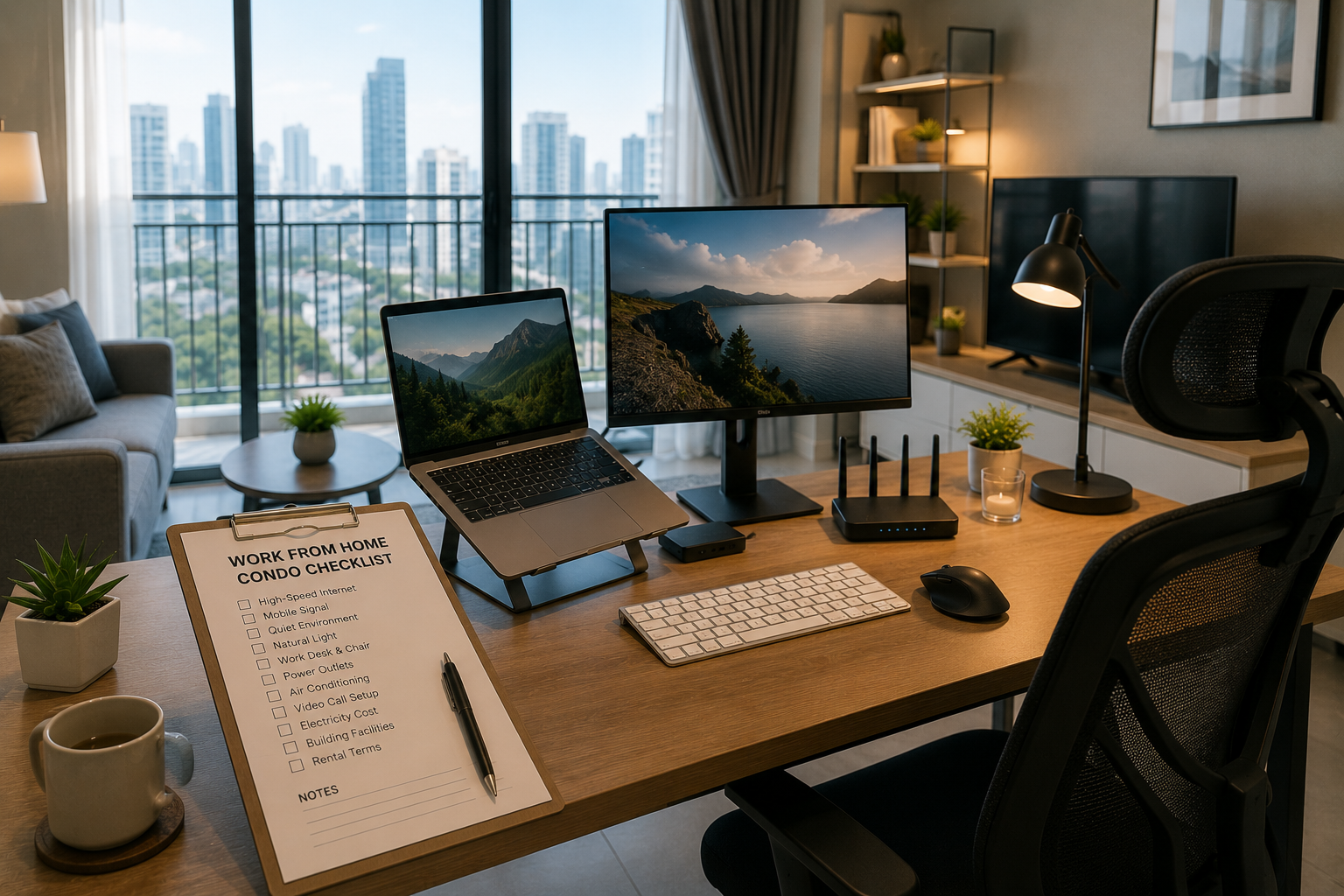
Renting a condo for working from home in Thailand has become increasingly important to many people, especially online workers, freelancers, small business owners, remote employees, online students, and expatriates who regularly attend meetings with people in other countries. Choosing this kind of condo should involve more than finding an attractive room with a good view or easy access to a train station. You must also consider whether the room is genuinely suitable for sitting and working for several hours every day.
This article is a guide for people looking for a condo to rent in Bangkok, Pattaya, Chonburi, Phuket, Chiang Mai, Hua Hin, or another city in Thailand. It focuses on what to check for working from home, including internet service, mobile signal, noise, natural light, the desk, chair, power outlets, air conditioning, electricity costs, video-call space, and building rules. Actual conditions depend on the building, unit owner, internet provider, and lease. Tenants should verify the latest information themselves before deciding.
English summary: A work-from-home condo should support stable internet, quiet space, good lighting, power outlets, air-conditioning, video calls, and comfortable daily work routines.
1. Do Not Look Only at Appearance: Check Whether You Can Actually Work There
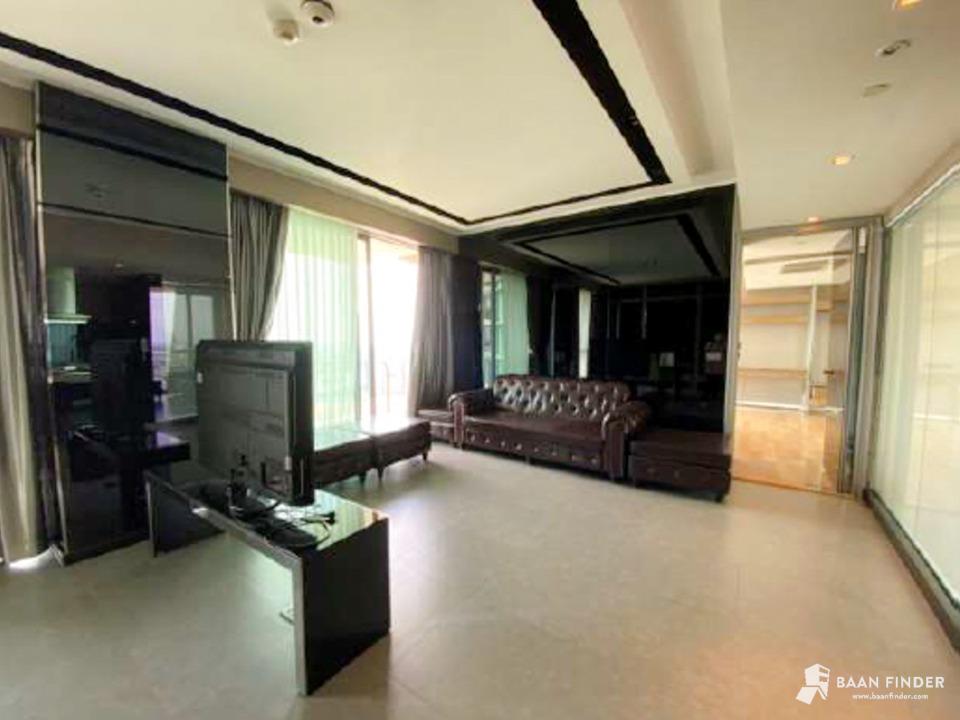
Some condos look beautiful in photographs but may not be suitable for working once you move in. There may be no desk, light may reflect off the screen, traffic may be loud, power outlets may be poorly positioned, or the internet may be unstable. If you regularly work from home, inspect the room from a practical working perspective, not only for its decor.
- Is there a workspace where you can sit for long periods?
- Is there enough room for a computer or an additional monitor?
- Does light enter from behind you or reflect too strongly off the screen?
- Will noise from the road, lifts, or neighbors disturb you?
- Do the internet and mobile signal actually work?
- Does the room become too hot during the day?
If possible, visit the room during the hours when you would actually work, such as during the day, on a weekday, or when you normally attend online meetings, to assess the real environment.
English summary: A beautiful room is not always a good work-from-home room. Test the real work conditions before renting.
2. Internet Should Be the First Thing You Ask About
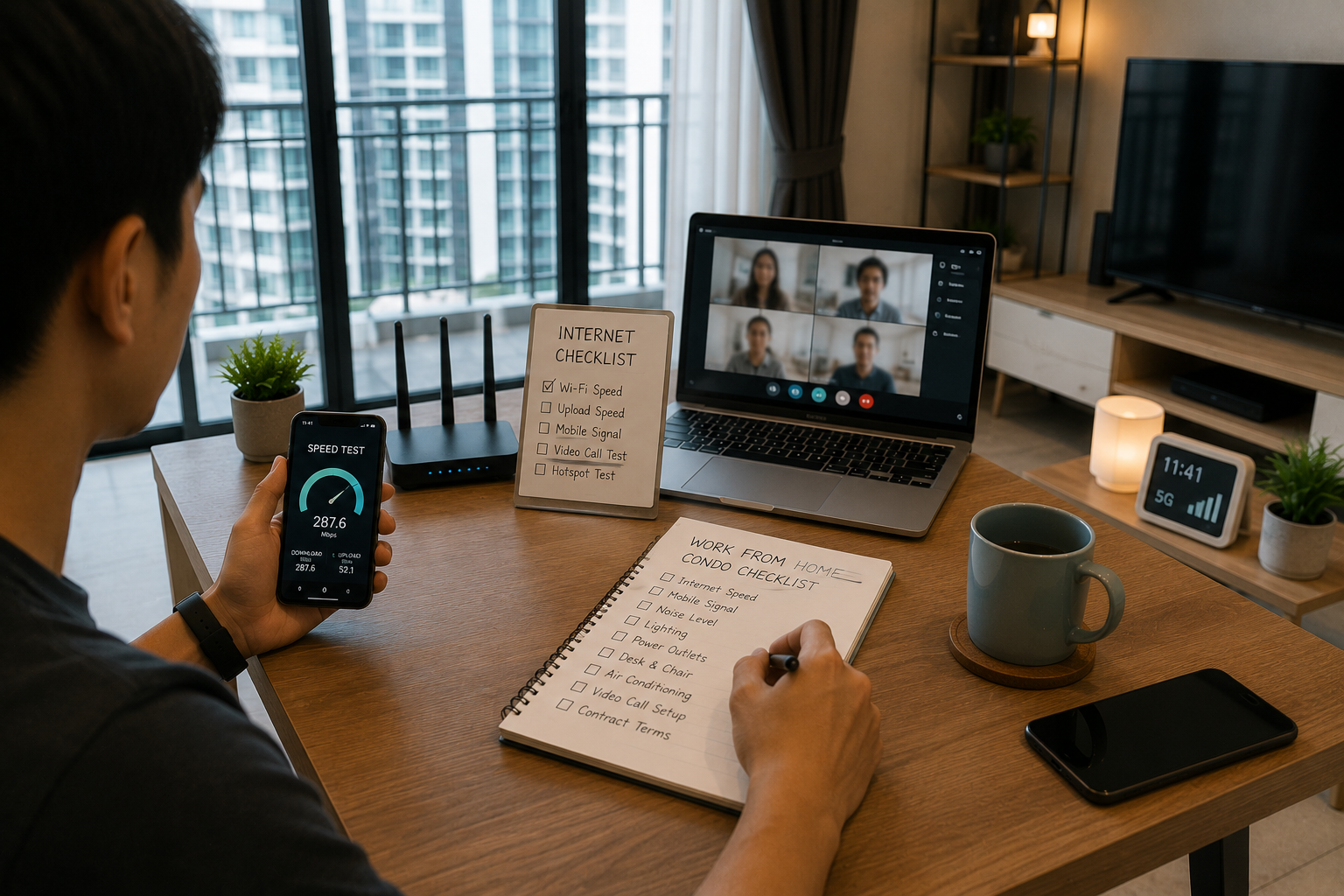
Internet service is central to a work-from-home condo. Ask clearly whether the room already has internet or whether the tenant must arrange installation. If service is already installed, ask about the speed, package, provider, and whether the package can be changed. If you need to install it yourself, ask which providers serve the building.
- Is internet included in the rent?
- Are the download and upload speeds suitable for your work?
- Which internet provider supplies the service?
- If the internet has a problem, who contacts the provider?
- Can you arrange a new internet installation yourself?
- Do you need permission from the juristic office before installation?
People who attend video meetings, send large files, livestream, or work in online systems throughout the day should test the internet in the actual room before signing a long-term lease. At a minimum, request written information from the owner about the package and its limitations.
3. Test the Mobile Signal Inside the Room
Even with home internet, mobile reception remains important because it can provide backup internet and support work calls. If the room is high in the building, in a signal shadow, or deep inside the building, mobile reception may be weaker than expected.
- Test mobile reception in the workspace
- Test it in the bedroom, living room, and on the balcony
- Try using your phone as a hotspot
- Make a short call or video call
- Ask which mobile provider has the best signal in the building
- Check whether the room is in a mobile signal dead zone
The Office of the National Broadcasting and Telecommunications Commission, or NBTC, is Thailand's telecommunications regulator. When necessary, users can consult its official website for information or channels related to telecommunications services.
English summary: Test mobile signal as a backup for work calls, hotspot, and emergency internet access.
4. Noise Affects Meetings and Concentration
Noise is a major concern for people working from home, especially those who attend online meetings, record audio, teach online, or do work requiring deep concentration. Check noise from several sources, including roads, lifts, neighboring rooms, the floor above, restaurants, bars, construction, and building machinery.
- Is the room beside a major road or rail line?
- Is it near a lift, refuse room, or fire-exit door?
- Can you clearly hear the floor above or neighboring rooms?
- Is there construction near the building?
- Is the air conditioner or another appliance too loud?
- If you need to attend meetings at night, how noisy is the area around the room?
Visit at different times, such as during the day, in the evening, or at the end of the working day, because noise levels in some condos change with the time.
5. Natural Light and Room Orientation Affect Work
Natural light can make a room more pleasant and less confined, but excessive sunlight can create screen glare, heat the room, or require you to run the air conditioner all day. Check whether the workspace receives an appropriate amount of light and whether you can adjust the curtains or move the desk.
- Does sunlight enter in the morning or afternoon?
- Does light reflect off the computer screen?
- Are there blackout curtains or sheer curtains?
- Does the room become very hot in the afternoon?
- Can the desk be positioned away from the light?
- Will you need to keep the lights on throughout the day?
For frequent video calls, your face should be evenly lit without excessive backlighting, and the background should be tidy enough for work meetings.
English summary: Good lighting matters for comfort, screen visibility, heat, and video calls. Check sunlight direction and curtain quality.
6. The Desk, Chair, and Workspace Must Be Suitable for Sitting for Long Periods
Many condos have a small table for dining or holding belongings, but it may not be suitable for working several hours a day. Check whether there is enough room for a desk, chair, computer monitor, keyboard, mouse, and other work equipment.
- Is the desk wide enough?
- Is the chair comfortable for prolonged use?
- Is there room for an additional monitor or laptop stand?
- Are the desk and chair legs sturdy?
- Can you replace the desk or add your own?
- Is it still easy to walk around the desk?
If the owner does not allow furniture to be moved, clarify this before signing the lease because rearranging the workspace may be essential for daily life.
7. There Must Be Enough Power Outlets in the Right Places
Working from home requires several electrical devices, such as a laptop, additional monitor, phone, router, desk lamp, speakers, printer, and chargers. If there are not enough outlets or they are poorly positioned, you may need several extension strips, which can be inconvenient and unsafe.
- How many outlets are near the workspace?
- Are the outlets positioned where they can actually be used?
- Are there grounded outlets or surge-protection devices?
- Will cables have to cross a walkway?
- Is the room lighting adequate for working at night?
- Ask the owner before adding equipment or drilling into walls
If an outlet is loose, lights flicker, or a circuit breaker trips frequently, notify the owner before moving in. Do not overload a single point with too many appliances.
English summary: Check power outlets, cable safety, desk lighting, and whether your work devices can be used comfortably and safely.
8. Air Conditioning, Electricity Costs, and Daytime Heat
People who work from home often run the air conditioner longer than people who work elsewhere, making electricity costs important. Check whether the air conditioner cools properly, whether its capacity suits the room, whether strong afternoon sun enters the unit, and whether electricity is charged according to the actual bill or another rate.
- Does the air conditioner cool the entire workspace?
- Does it drip or make unusual noises?
- When was it last cleaned?
- Do you pay electricity according to the actual bill or through the owner?
- Does afternoon sun heat the room enough to require heavy air-conditioner use?
- Is there a fan or ventilation system to help?
MEA offers online electricity bill checking and payment services in Bangkok, Nonthaburi, and Samut Prakan. Ask the owner or juristic office how the room's electricity bill is paid and which meter reading will be used as the starting point on move-in day.
9. For Video Calls, Check Sound, Lighting, and the Background
People who attend frequent online meetings should specifically inspect the video-call area, including facial lighting, echoes, the background, privacy, and internet service, because these factors affect professional presentation.
- Is there an area with a tidy background?
- Is there enough natural light or front lighting?
- Does the room have a strong echo?
- Will other people in the room frequently walk behind you on camera?
- Is the internet stable during video calls?
- If you meet with people abroad at night, how much surrounding noise is there?
If you live with a partner, roommate, or family, there should be a space where a door can be closed or sound can be separated so that you do not disturb one another while working.
English summary: For video calls, check lighting, background, privacy, echo, internet stability, and whether you can work without interruption.
10. Does the Condo Have a Common Area Suitable for Work?
Some condos have a co-working space, lounge, library room, or other common area suitable for a change of working environment. Ask clearly about the usage rules, including opening hours, room reservations, Wi-Fi speed, and how quiet the area is.
- Is there a co-working space or reading room?
- What hours is it open?
- Must it be reserved in advance?
- Can it be used for online meetings?
- Is common-area Wi-Fi available?
- Is the space quiet enough for actual work?
Do not rely solely on a common area as your main workspace. It may sometimes be busy, closed for maintenance, or subject to rules against loud meetings.
11. Location Still Matters When You Work from Home
Even if you mainly work from home, location remains important because daily life still involves buying food, exercising, attending occasional meetings, meeting clients, or visiting the office on certain days. Look for a location that balances quiet surroundings with convenience.
- Are restaurants, convenience stores, and cafes nearby?
- Is it convenient to reach BTS, MRT, or major roads?
- Are food and parcel deliveries convenient?
- Is there a gym, park, or walking area nearby?
- If you visit the office once a week, will the journey take a long time?
- Is the area around the condo too quiet or inconvenient at night?
Bangkok has a wide range of business, residential, and lifestyle districts. Choose based on your real daily routine, not solely on a district's name.
English summary: Even for remote work, location matters for food, transport, exercise, deliveries, meetings, and daily life balance.
12. Check the Lease Provisions on Internet, Furniture, and Repairs
Before signing the lease, check whether work-from-home details are clear, including whether internet is included in the rent, who is responsible when it fails, whether you may add your own desk, chair, or equipment, and who pays to repair the air conditioner or electrical outlets.
- Is internet included in the rent?
- If the internet fails, who coordinates the repair?
- Can you install your own internet service or router?
- Can you add a desk, chair, or shelving?
- Who pays to repair the air conditioner, outlets, and room lighting?
- Must you notify the owner before calling a technician?
The Office of the Consumer Protection Board is Thailand's official consumer protection authority. Users with questions about services, contracts, or payments can consult information and contact channels on its official website.
13. What to Check Before Transferring a Deposit
Whether renting a condo for working from home or for general living, always complete the basic checks before transferring money, especially when renting directly from an owner or through an online listing.
- View the room in person or by live video call before transferring money
- Verify the landlord's name and payment account
- Read the lease and deposit conditions
- Check internet, electricity, water, and all included expenses
- Check the desk, chair, air conditioner, outlets, and workspace
- Ask about building rules for common-area use and internet installation
- Always request a receipt or written confirmation
Systematically save transfer slips, chats, the lease, room photos, meter photos, and internet information in case problems arise later.
14. Work-from-Home Condo Rental Checklist

- Test the internet and ask about the provider
- Test mobile reception in the workspace
- Check noise during your actual working hours
- Check natural light and the direction of the sun
- Check the desk, chair, and space for a computer monitor
- Check power outlets, lighting, and cables
- Check the air conditioner, electricity costs, and daytime heat
- Inspect the video-call angle and background
- Ask about common areas for work
- Check the location, restaurants, cafes, and transport
- Read the lease provisions on internet, furniture, and repair costs
- Keep evidence of every payment and agreement
Summary
Renting a condo for working from home in Thailand requires looking beyond the room's appearance. Tenants should thoroughly check the internet, mobile signal, noise, lighting, desk, chair, outlets, air conditioner, electricity costs, video-call area, and common areas because all of these affect daily work performance and quality of life.
Before deciding, view the room at the time you would actually use it, test the internet, read the lease, check all expenses, and keep evidence at every step. Baandeego is only a real estate listing platform. It is not involved in bookings, payments, contracts, room inspections, internet installation, or guaranteeing signal quality on behalf of users.
English summary: A good work-from-home condo should support stable internet, quiet work, comfortable desk setup, good lighting, safe power use, manageable electricity cost, and clear rental terms.
FAQ
1. What Are the Most Important Things to Check When Renting a Condo for Working from Home?
Start with the internet, noise, workspace, outlets, natural light, air conditioner, and electricity costs because these affect daily work more than the room's appearance alone.
English: Start with internet, noise, work desk, outlets, lighting, air-conditioning, and electricity cost.
2. How Should I Test the Internet in a Condo?
Ask about the package and provider, then try using the service for tasks such as a video call, file upload, or signal test in the workspace. If you rely heavily on online work, have a backup plan such as a mobile hotspot.
English: Ask for the provider and package, then test video calls, uploads, and mobile hotspot backup.
3. What Should I Check Before Paying a Deposit on a Work-from-Home Condo?
View the actual room, verify the landlord and payment account, read the lease, check the internet, electricity, total expenses, desk, air conditioner, and outlets, and always request a receipt or written confirmation.
English: View the room, verify landlord and bank account, read the lease, check internet, electricity, desk setup, air-con, outlets, and keep proof.
Platform Use Disclaimer
This website is only a real estate listing platform.
Users should verify information, documents, and conditions by themselves.
This website is only a real estate listing platform.
Users should verify information, documents, and conditions by themselves.
Baandeego is not a broker and is not a party to any rental, sale, booking, payment, contract, ownership transfer, room inspection, document check, owner verification, internet signal check, internet installation, deposit receipt, refund, or coordination with juristic persons or service providers on behalf of users. It is not responsible for disputes among users, buyers, tenants, owners, sellers, landlords, agents, juristic persons, internet service providers, or relevant authorities. All parties should independently verify the information, documents, conditions, expenses, and applicable laws before making a decision.
References / Sources
- Office of the Consumer Protection Board, Thailand: https://www.ocpb.go.th/index_en.php
- Office of The National Broadcasting and Telecommunications Commission: https://www.nbtc.go.th/
- Metropolitan Electricity Authority — Check/Pay Electricity Bills Online with MEA Smart Service: https://www.mea.or.th/en/our-services/mea-service/check-pay
- Bangkok Metropolitan Administration — Visit Bangkok: https://visit.bangkok.go.th/